





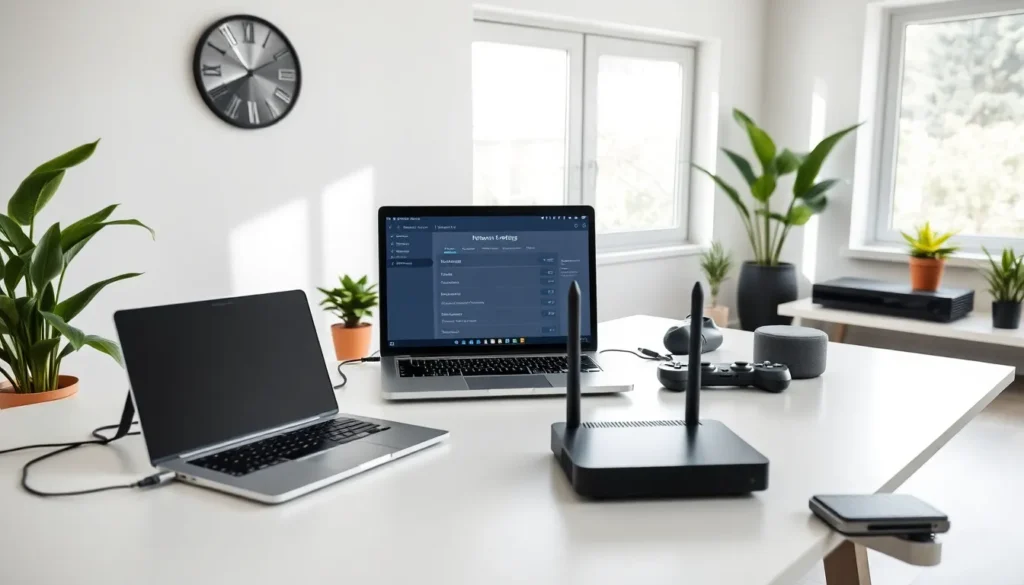
In a world where buffering is as popular as waiting in line at the DMV, understanding home networking is key to keeping your sanity intact. Picture this: you’re binge-watching your favorite series, and suddenly, your screen freezes mid-drama. Talk about a cliffhanger. Fear not, for this guide will equip you with all the knowledge you need to create a robust home network, leaving your Wi-Fi woes behind. Let’s jump into the basics and beyond, ensuring that your home connection is more reliable than your favorite coffee shop’s free Wi-Fi.
Understanding Home Networking Basics

Home networking might sound complex, but it’s simply the means by which devices within your home communicate with each other and connect to the internet. It involves physical connections, such as Ethernet cables, and wireless connections using Wi-Fi. Imagine your home’s network as a spider web, where each strand connects various devices, from your smartphone to your smart fridge.
At its core, a home network allows devices to share resources like printers and files, and access high-speed internet. This networking prowess has evolved dramatically over the years. Just think back to dial-up modems: we’ve come a long way since those days of patience-testing beeps and blips. Today’s networks are faster and more powerful, making home networking a fundamental aspect of modern living.
Understanding the basics requires getting familiar with terms like bandwidth, latency, and latency, among others. Bandwidth refers to the amount of data your connection can handle at one time, akin to the width of a highway, it impacts the speed at which you can download files or stream videos. On the other hand, latency is like the time it takes for a delivery truck to arrive. High latency can lead to frustrating delays, especially in online gaming or video calls.
Components of a Home Network
A well-functioning home network involves several key components. First off, there’s the router, the heart of your network. This device routes data between your home and the internet, enabling seamless communication among all connected devices. Think of it as a traffic cop, directing data packets to their intended destinations.
Next up, the modem connects your home network to your internet service provider (ISP). Often, the router and modem come as a combo unit, which saves space and simplifies setup.
Other notable components include:
- Access Points: These devices extend wireless coverage. They’re particularly useful in larger homes where Wi-Fi signals struggle to reach every corner.
- Switches: A switch enhances wired connections by allowing multiple devices to communicate efficiently.
- Cables: Ethernet cables provide stable connections, particularly valuable for devices that require high-speed internet, like gaming consoles or desktop computers.
Each component plays a vital role in ensuring a reliable and speedy home network, and understanding their functions will empower users to optimize their setups.
Setting Up Your Home Network
Setting up a home network may seem daunting, but it’s a manageable task if broken down into clear steps. Begin by connecting your modem to the router using an Ethernet cable, a straightforward process that promises a significant boost in internet speed. Once plugged in, make sure to power on your router.
Next, access your router’s settings through a web browser, usually by typing in a default IP address (commonly 192.168.1.1 or 192.168.0.1). From here, customize your network name and password. For security, it’s crucial to choose a strong WPA3 encryption protocol.
After establishing the basic setup, connect your devices to the network. This can be done wirelessly or via Ethernet cables. Don’t forget to check the router’s firmware regularly for updates to maintain optimal performance. Summarizing, patiently follow these steps and ensure your network is as secure as it is functional.
Common Home Networking Issues and Solutions
Home networks, while powerful, often encounter a range of issues that can lead to frustration. A typical problem is spotty Wi-Fi coverage. If you notice weak signals in certain areas of your home, consider repositioning the router to a central location. Alternatively, adding a range extender can effectively combat dead zones.
Another common issue is slow internet speeds. This can stem from multiple devices hogging bandwidth, especially during peak usage times. To alleviate this, disconnect devices that aren’t in use, and prioritize devices that require more speed.
Users may also face connectivity issues. When devices fail to connect, it’s often due to incorrect passwords or outdated device settings. Occasionally, rebooting the router can resolve these hiccups. In essence, most issues are fixable with basic troubleshooting steps and a little patience.
Improving Your Home Network Performance
To elevate home network performance, consider these strategies. Firstly, upgrade your router, the most crucial component for speed. Modern routers can handle more devices with robust signals more efficiently.
Secondly, try using wired connections for stationary devices. Ethernet is always faster than Wi-Fi and provides a more stable connection, perfect for gaming or streaming.
Finally, minimize interference by keeping electronic devices like microwaves and cordless phones away from your router. The fewer obstructions, the stronger the signal. Investing time in these tweaks ensures that your network provides the best possible performance and that binge-watching remains uninterrupted.
The Future of Home Networking
As technology evolves, so does home networking. Innovations like Wi-Fi 6 and mesh networking promise to revolutionize how users connect. Wi-Fi 6 offers improved speed, efficiency, and capacity, accommodating more devices without sacrificing performance. Imagine streaming 4K videos while your roommate plays online games without any lag, the future looks bright.
Mesh networking devices allow complete home coverage by utilizing multiple nodes to create a single, expansive network. This can eliminate the need for range extenders in larger homes, bringing seamless connectivity to every corner. Also, the rise of smart home devices means that robust, flexible home networks will become more crucial than ever.